
Arctic Wolf offers cybersecurity services to businesses, including Raw Log Search, a product grappling with usability issues. The project aimed to improve customer satisfaction and retention for Raw Log Search by investigating design solutions that improve the user experience.
What is a raw log search?
A raw log is an unprocessed file with event records, encompassing data like errors, access logs, and debugging info. The Raw Log Search tool helps customers sift through this data using keywords or preset examples, enhancing query accuracy.
“Raw Log Search allows customers to look at their unprocessed data — none of this data is enriched so it's a giant text file.”
Marcus Russell · Senior Product Owner, Arctic Wolf
Three sources of friction
Raw Log Search was plagued by poor usability, a lack of user knowledge concerning the most efficient search methods, and the need to access multiple products. Together these added up to a significant level of friction.
- 01 Low usage rate Not many customers used the tool at all, despite it being the only route to unprocessed data.
- 02 Hidden accessibility Buried within multiple tabs, which made the tool hard to find for anyone who did not already know where it lived.
- 03 High costs Inefficient search patterns incurred unnecessary expense on every query run against the raw data.
Which turned the brief into a single question.
How might we make Raw Log Search more intuitive to use?
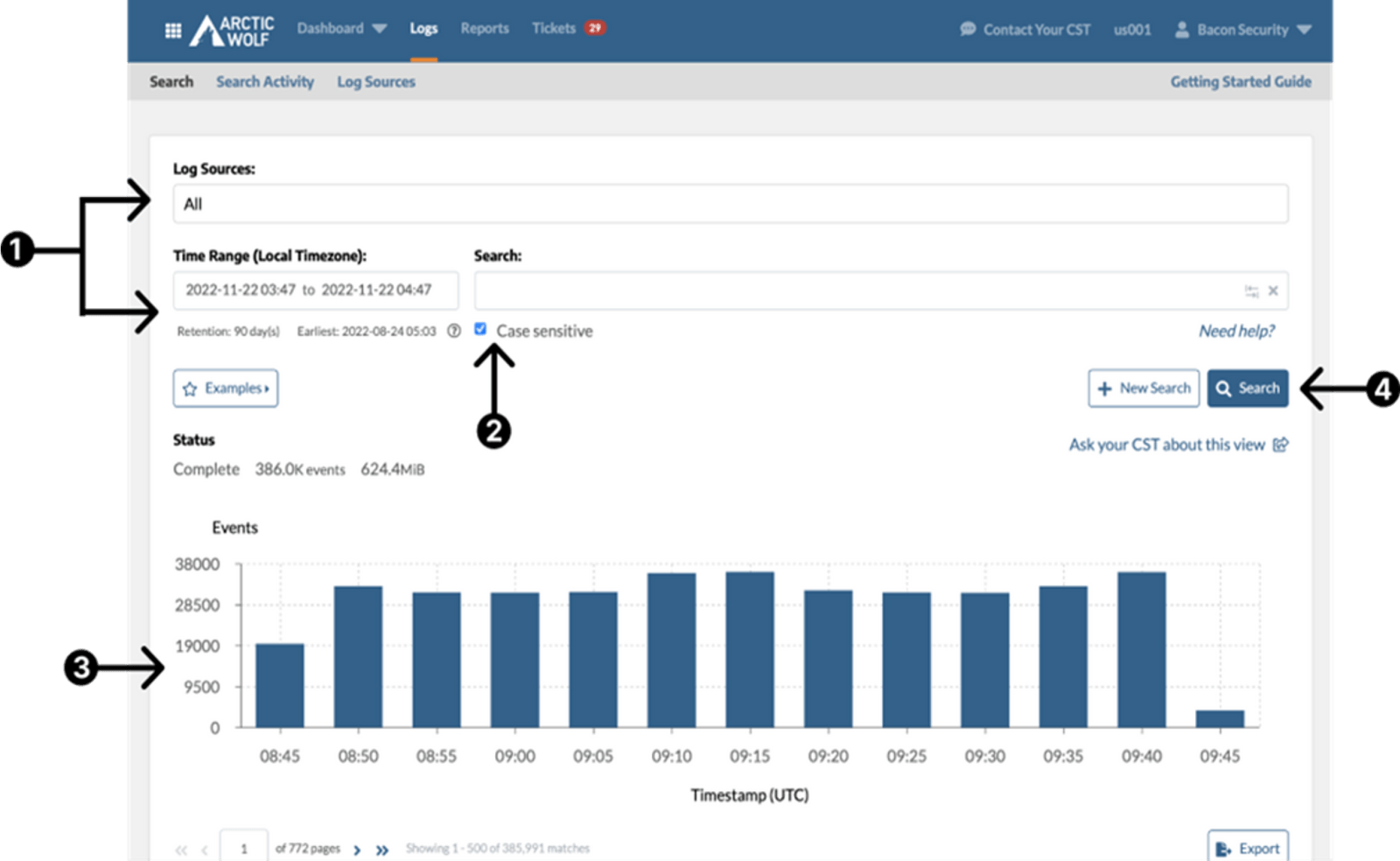
Competitor analysis
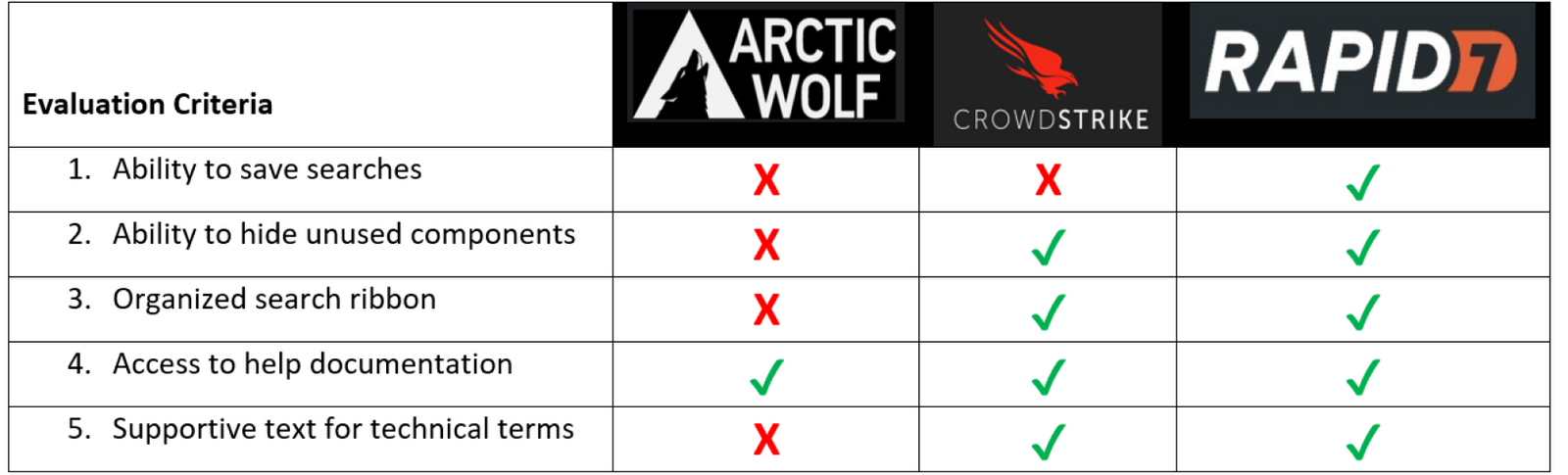
To enhance usability and functionality, a competitive analysis was undertaken focusing on industry leaders. The findings highlighted that Arctic Wolf's Raw Log Search was relatively less developed than the industry-leading equivalents.
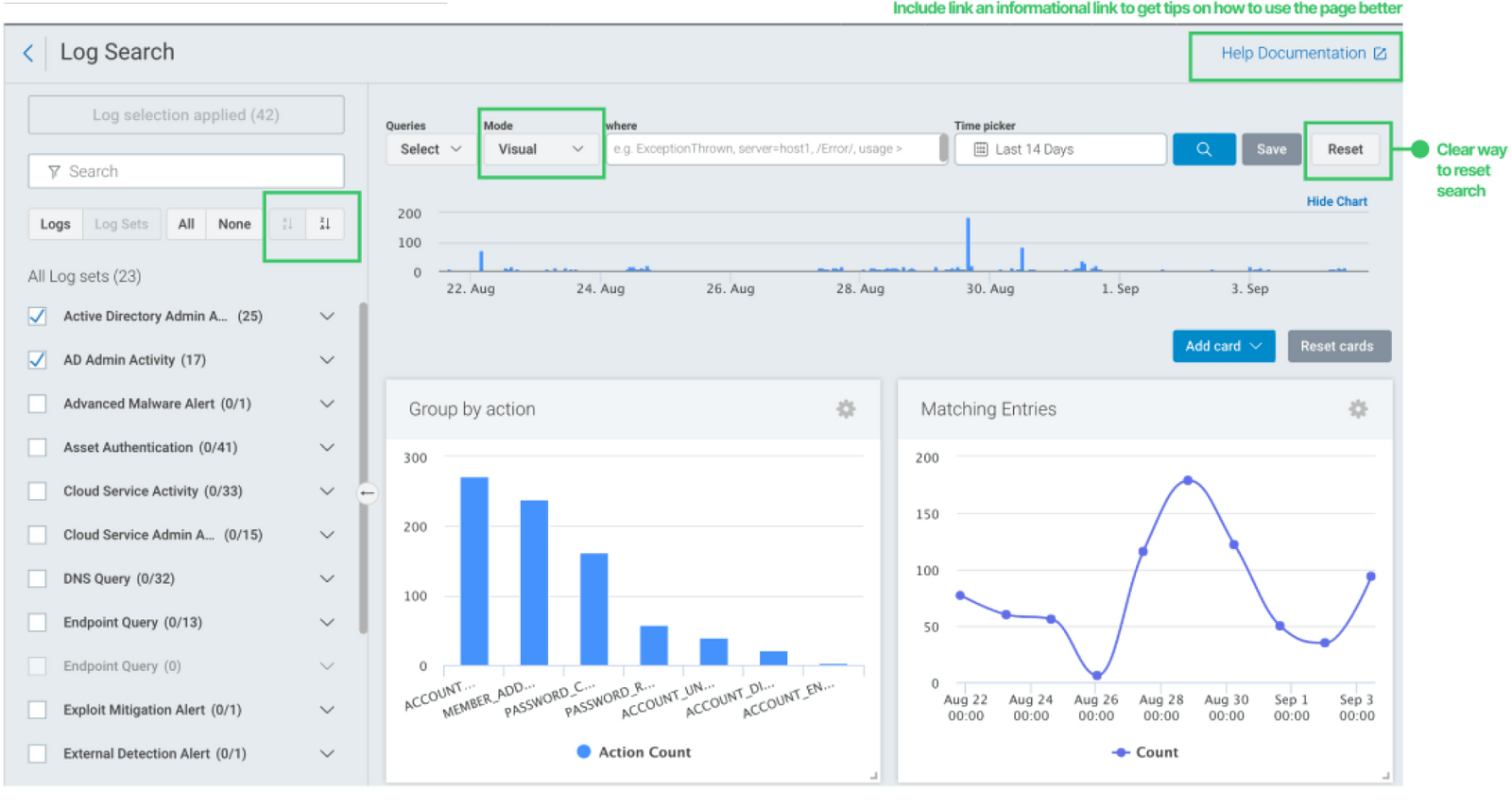
Two wireframe directions
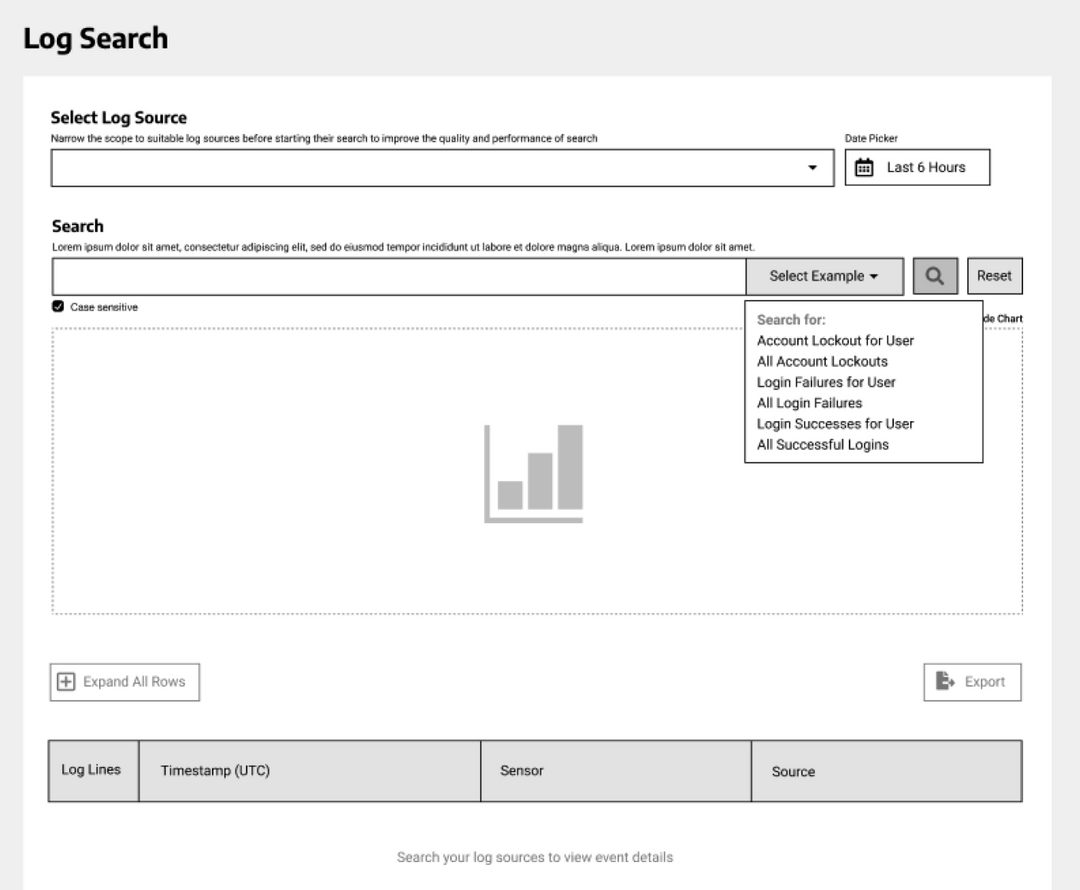
We developed distinct design ideas to address the problem space. Iteration focused on organizing search ribbons and managing technical filter density.
One row instead of many
A user-friendly search ribbon organized cohesively into a single row, unlike the original multi-row layout.
Reduces the vertical scanning cost before a query is even typed.
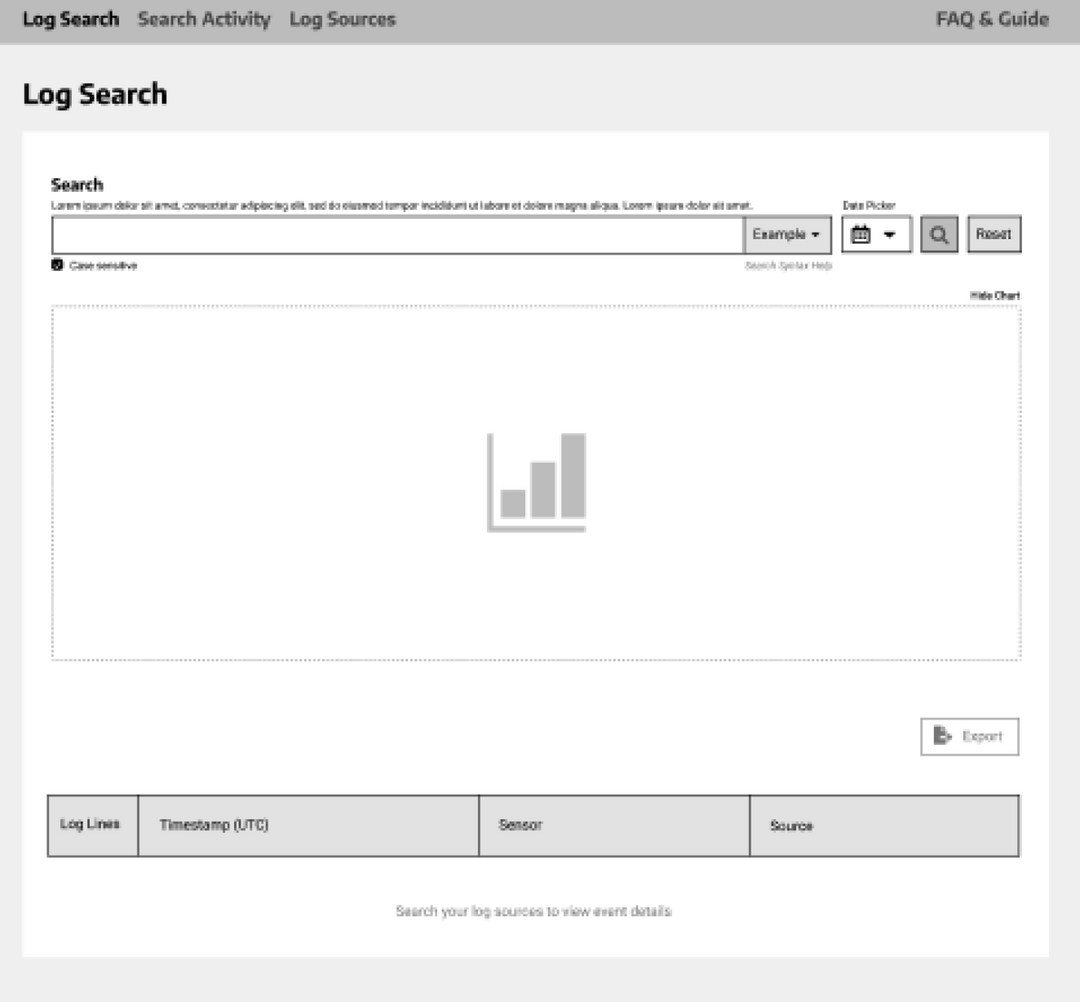
Density without clutter
Concentrated on strategies to integrate diverse technical filters without cluttering the interface.
Filters are the power of the tool; hiding them costs accuracy, showing them all costs clarity.
Refining the investigation tool
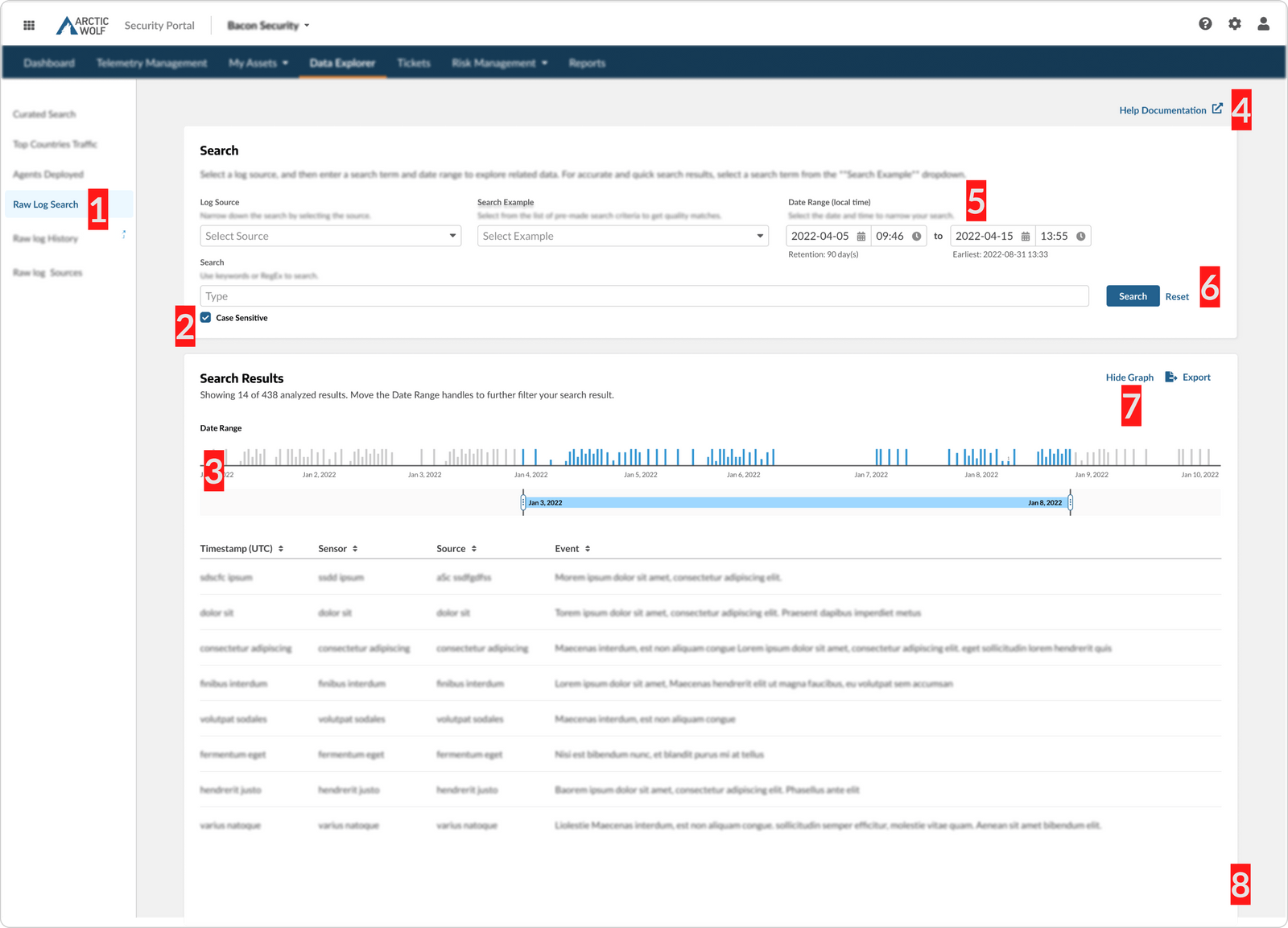
- Sub navigation
- Consistency with the other product pages, so the tool stops being a place you have to know about.
- Case sensitivity
- Positioned prominently below the search input to reduce missed states.
- Histogram
- Adjustable, enabling precise navigation to the desired results.
- Documentation
- Integrated guidance, so learning the query syntax happens in place rather than in another tab.
- Support text
- Helpful cues for technical input requirements.
- Actions
- Clearly distinguishable primary and secondary actions.
- Declutter
- An option to hide the histogram when it is not needed.
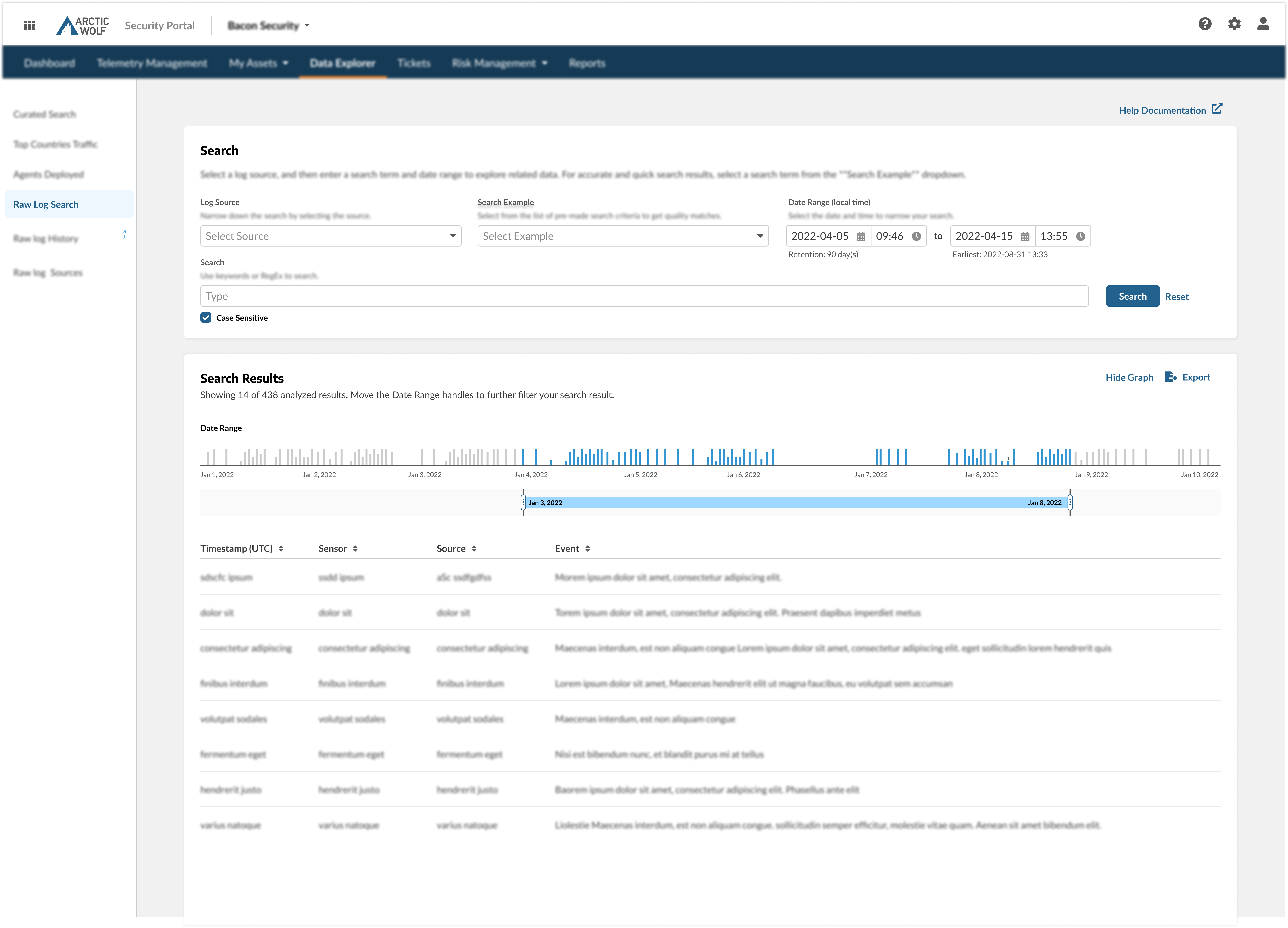
The finished experience
The final solution delivers a high-performance search experience that balances power with ease of use.
Reflections
The revised Raw Log Search design was developed in early 2023. The project was a significant learning experience in working within a design system and executing an end-to-end project at scale.